October 20, 2026 – February 2, 2027
12 Video Lessons in English Language – drop always Wednesday
Built around playful examples covering over 150 Topics in depth
Certificate of completion available
13 weekly live group consultations – always Tuesday
Additional One on One Coaching and Mentoring available
If you search for help with TouchDesigner online, you’ll mostly find answers to very specific problems: how to make a kaleidoscope effect, how to get particles to react to audio, how to fix one exact error. That’s not how we teach here.
TouchDesigner isn’t a piece of software with a finite set of features you can eventually check off — it’s a way of thinking about problems: breaking an idea down into small, connected pieces, understanding what kind of data you’re working with at each step, and building your own solution instead of hunting for someone else’s. That’s a general problem-solving skill, not a TouchDesigner-specific one, and once you’ve internalized it you’ll be dramatically faster at picking up any new technique, tool, or piece of software. Nobody ever learns TouchDesigner “completely” — it’s a lifelong practice, not a course you finish.
What this course gives you is the ability to come up with your own solutions, and the confidence to read the documentation, forum posts, and example files you’ll keep running into for as long as you use this tool. Every lesson is built around understanding, not memorizing steps.
That matters more, not less, in the age of AI. There are more shortcuts to a finished-looking result today than ever — but understanding the logic underneath is what separates serious media art from clickbait. It’s also why this course includes real introductions to both Python and GLSL, even though you probably won’t be hand-writing much unassisted code day to day. Understanding how a language and the system underneath it actually work means you won’t just passively accept whatever an AI hands you – you’ll understand it, edit it with intent, and know when to push back.
In twelve lessons, you’ll go from your first slider and button to feedback loops, full 3D scenes, particle systems, GPU instancing, point clouds, the POP operator family, and — through two guest sessions – a first introduction to GLSL shaders and Python scripting.
How the Course Works
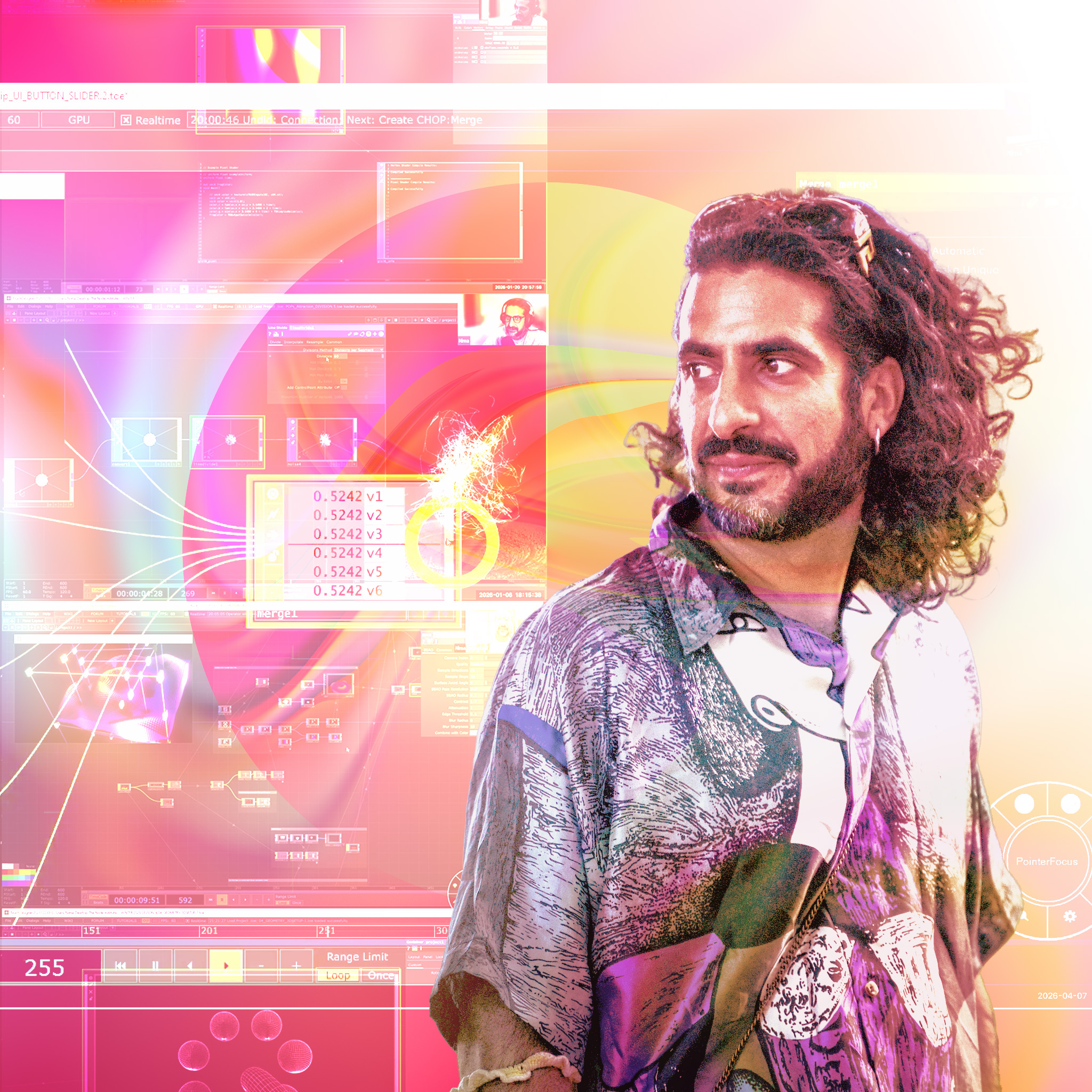
We have been running this course with Nima Gazestani for 5 years now. More than 400 participants have made their first (but not last) steps in TouchDesigner with Nima and we have improved it from one edition to the next, to the point that we are convinced that it is the best place to get started.
However, there were two things that were bugging us: Many people chose the course for the live lessons and the access to the instructors. To be able to ask questions, get help from peers or just discuss their own projects.
Now, while that was always possible, it didn’t work for everybody. Some people do not like to interrupt and ask, some don’t feel comfortable to speak in front of a group and some need to ingest the material before actually needing the support.
On the other hand, we had to make the course quite pricey in comparison to other offers, as we aim to pay our instructors properly, honouring their commitment and the years of experience as creators and educators in the field.
With this new edition, we aim to solve these issues and a couple of others.
The lessons have been recorded, and will drop every week. Participants will have 6 days to work through the exercises and then join a weekly group meeting, that is only about your doubts, questions and ideas. Exchange with the group, get inspired and inspire and get all the help you need. Additionally, a dedicated discord group connects you 24/7 with the other participants and the NODE teachers, so you are never alone in this.
For a limited number of participants, we now offer an even higher level of support:
Join the Coaching or the Mentoring tier, that complements all of the above with weekly one on one consultations with Nima and the Guest Instructors. In the Mentoring tier you can even upload your own project files and get personal feedback from our instructors, every week during this 12-week course.
Choose Your Level of Support
Guided
All 12 lessons, dropped weekly with the cohort, plus a weekly 40-minute live group session
Starts with the Winter 26/27 cohort on October 20, 2026 — you go through the material together with a group of peers.
Student €240
Professional €360
Company €480
Guided + Coaching
Everything in Guided, plus a weekly 10-minute 1:1 consultation
Starts with the Winter 26/27 cohort on October 20, 2026 — you go through the material together with a group of peers.
Student €480
Professional €600
Company €720
Guided + Mentoring
Everything in Guided, plus a weekly 15-minute 1:1 consultation plus weekly file review
Starts with the Winter 26/27 cohort on October 20, 2026 — you go through the material together with a group of peers.
Student €600
Professional €720
Company €840
Prices include 19% German VAT.
Actual prices will be calculated based on your location and VAT status at checkout.
Student Price
You are currently studying or want to learn TouchDesigner for personal reasons that are not related to your source of income. You come from a country with a disadvantaged economy and can simply not afford otherwise.
Other tiers support this offer.
Professional Price
You are working professionally as a self employed or freelancing person and want to learn TD to advance your career and win new customers by expanding your skills. Maybe you work as an employee in another field, but want to qualify yourself for new challenges.
Company Price
You are a company that will leverage the new skills acquired in their work with clients. You want to further qualify your employees and support them on their learning path. Each company ticket supports a participant who otherwise couldn’t afford the course.
Starter Bundle: Beginner + Intermediate, save 15%
The Beginner and Intermediate Class in one enrolment: 20 lessons, October 20, 2026 – March 30, 2027.
The Intermediate Class is part 2 of the series. It continues what you start here, from playful exercises to professional projects, with advanced sound-reactive systems, computer vision, touchscreen games and deeper GLSL and Python sessions with Vanta and Dan. The bundle includes the Beginner Class at the Guided level.

Lesson Overview
Here’s a quick look at what each of the twelve lessons covers. Want the longer version — the complete “what you’ll learn” list and each week’s short overview clip?
See the full week-by-week lesson overview.
We open with a consultation day on Tuesday, October 20, 2026 so everyone can meet the instructor and each other before Lesson 1 drops the next morning. From there, lessons drop every Wednesday morning, with a live group consultation six days later (the following Tuesday, 6 pm) to work through questions before the next lesson. There’s a three-week break over the winter holidays: the last consultation before the break is Tuesday, December 15, and the course picks back up with Lesson 9 on Wednesday, January 6. The course concludes with a closing consultation on Tuesday, February 2, 2027, six days after the final lesson drops.
What happens live on Tuesday evenings (Berlin time): 18:00–18:40 group consultation with Nima, open to all participants. 18:40–21:30 individual 1:1 slots for Coaching and Mentoring seats — fixed 10- or 15-minute slots, assigned at the start of the course. The lessons themselves are pre-produced and released every Wednesday; there are no live lessons to attend.
| Week | Lesson drops (morning) | Group consultation (6 pm) |
|---|---|---|
| Opening | — | Tue, Oct 20, 2026 |
| Week 1 | Wed, Oct 21, 2026 | Tue, Oct 27, 2026 |
| Week 2 | Wed, Oct 28, 2026 | Tue, Nov 3, 2026 |
| Week 3 | Wed, Nov 4, 2026 | Tue, Nov 10, 2026 |
| Week 4 | Wed, Nov 11, 2026 | Tue, Nov 17, 2026 |
| Week 5 | Wed, Nov 18, 2026 | Tue, Nov 24, 2026 |
| Week 6 | Wed, Nov 25, 2026 | Tue, Dec 1, 2026 |
| Week 7 | Wed, Dec 2, 2026 | Tue, Dec 8, 2026 |
| Week 8 | Wed, Dec 9, 2026 | Tue, Dec 15, 2026 |
| Three-week break over the winter holidays | ||
| Week 9 | Wed, Jan 6, 2027 | Tue, Jan 12, 2027 |
| Week 10 | Wed, Jan 13, 2027 | Tue, Jan 19, 2027 |
| Week 11 | Wed, Jan 20, 2027 | Tue, Jan 26, 2027 |
| Week 12 | Wed, Jan 27, 2027 | Tue, Feb 2, 2027 (closing) |
Week 1 — Getting Around TouchDesigner & Building Your First UI
Drops Wed, Oct 21, 2026 · Group consultation Tue, Oct 27, 2026
Week 1 covers two things in one sitting: first, getting fluent in TouchDesigner’s node-based way of working — the habits everything else in this course assumes you already have — then immediately putting those habits to work on a proper build from a blank file.
The first part is a hands-on primer on moving around and thinking in the network: panning, zooming, and finding your way back when you get lost; opening the operator create dialog and meeting the different operator families for the first time; making your first connection from an on-screen control to a parameter, two different ways; and understanding the timeline and cook rate that everything else runs on, including how copying and pasting operators affects the connections you just built, with your first real look at compositing two textures together.
The second part builds your first interactive UI from scratch: sliders and buttons, organized cleanly inside containers, wired up to a first real animated composition, and packaged into something reusable — plus previewing your work live inside your own control panel and keeping the growing network readable with labeled, color-coded annotations.
Week 2 — Organizing Your Network & Custom Parameters
Drops Wed, Oct 28, 2026 · Group consultation Tue, Nov 3, 2026
Week 1 got your first buttons and sliders on screen; Week 2 is about turning that into something you can actually navigate and keep building on as it grows. You’ll learn to tidy up a spreading network by collapsing groups of operators into a single reusable component, then use that same component to build your own custom, named controls — instead of digging through nested operators every time you need to change a value.
Week 3 — Feedback Loops & Generative Color
Drops Wed, Nov 4, 2026 · Group consultation Tue, Nov 10, 2026
This week introduces one of TouchDesigner’s signature techniques: the feedback loop. It’s a deceptively small pattern — an operator, something that overwrites it, and a wire closing the loop back on itself — but it’s the foundation behind trails, glows, particle-like drawing, and a huge share of the generative visuals people associate with TouchDesigner. You’ll build one from scratch driven by your own mouse movement, then spend the rest of the week exploring what becomes possible once it’s running: coloring it directly, recoloring it through a lookup palette, and distorting it into a soft, smoke-like effect.
Week 4 — Your First 3D Scene
Drops Wed, Nov 11, 2026 · Group consultation Tue, Nov 17, 2026
This is where 2D compositing gets left behind and your first real 3D scene comes together. TouchDesigner’s 3D tools follow the same node-based logic you already know, but there’s a whole new set of building blocks to meet: geometry, cameras, lights, and materials. It’s the biggest lesson in the course, deliberately so — really two lessons in one: a complete rendering setup first, followed by a broad tour of the geometry-generating and -deforming operators you’ll keep reaching for in every 3D project from here on.
Week 5.1 — Soundreactive Particles
Drops Wed, Nov 18, 2026 · Group consultation Tue, Nov 24, 2026
Particles are one of TouchDesigner’s most flexible building blocks: thousands of points, each with its own position, lifespan, and behavior, generated and simulated all at once. This lesson covers the whole foundation — how particles are born, how they’re rendered, and how to leave a trail behind them — then drives it with music. You’ll bring in TouchDesigner’s built-in audio analysis tools, extract usable control signals from a track’s frequency bands and kick detection, and use them to drive particle birth, a ring of concentric rotating shapes, and a reactive glow that pulses right on the beat.
Week 5.2 — Interactive Particles
Drops Wed, Nov 18, 2026 · Group consultation Tue, Nov 24, 2026
With the particle foundation from 5.1 in place, this lesson puts it to work building a particle system that responds live to your mouse, complete with attracting and repelling forces and realistic bounce-off collisions.
Week 6 — Data-to-Form & Simple Instancing
Drops Wed, Nov 25, 2026 · Group consultation Tue, Dec 1, 2026
Every operator family in TouchDesigner produces data, and this week is about moving that data freely between families to get the best feature of each one — a texture’s pixels becoming a channel’s values, a channel’s values becoming a shape’s point positions, and so on. Once you can do that fluently, the door opens to this lesson’s main event: GPU instancing, which renders thousands of copies of a shape — each with its own position, scale, rotation, and color — at a speed traditional geometry tools simply can’t match.
Week 7 — Audio-Reactive Instancing
Drops Wed, Dec 2, 2026 · Group consultation Tue, Dec 8, 2026
Week 7 combines two techniques you already know — instancing and feedback loops — with a third: real-time audio analysis. You’ll convert an audio spectrum into a texture, trail it through time, and use the result to drive the scale and color of hundreds of instanced shapes at once. By the end of the week you’ll understand the core idea that makes audio-reactive visuals feel intentional rather than random: one input can drive several attributes at the same time, and that’s what makes an effect read as deliberate instead of just flickering.
Week 8 — Point Cloud & 3D Scanning
Drops Wed, Dec 9, 2026 · Group consultation Tue, Dec 15, 2026
Week 8 pushes instancing to its logical extreme: what if position itself came from a texture, not a 3D operator at all? You’ll build a grid of points using nothing but simple image operators, drive it with photographs and animated noise, then import a real 3D scan as a point cloud and learn to mask, deform, and feed it through a feedback loop — all while staying entirely on the GPU, which means none of the frame-rate penalty traditional geometry pays for large point counts.
Week 9 — Introduction to POPs
Drops Wed, Jan 6, 2027 · Group consultation Tue, Jan 12, 2027
Week 9 introduces an entirely new operator family built specifically to solve the performance ceiling from previous weeks: POPs, which combine the best of geometry and channel operators while being entirely computed on the GPU. Where a traditional deformation could drop your frame rate at a few hundred thousand points, the same deformation done with POPs barely registers, even past a million. This week builds up the family’s core vocabulary one piece at a time, then combines them into a fully GPU-instanced, audio-scale-ready scene.
Week 10 — Texture Instancing
Drops Wed, Jan 13, 2027 · Group consultation Tue, Jan 19, 2027
Week 10 brings together nearly everything the course has covered so far into one combined technique: texture instancing. The core idea is storing a whole sequence of images as a single stacked texture, then handing any one of them to an instanced shape based on a per-instance ID. This week builds that idea up gradually — first from a video, then by hand from individually generated letters and downloaded images, then inside POPs directly — and finally uses it as the engine behind a full “digital rain” effect that reaches back into nearly every technique from earlier in the course.
Week 11 — Introduction to GLSL Shaders (with Vanta)
Drops Wed, Jan 20, 2027 · Group consultation Tue, Jan 26, 2027
Lesson 11 hands the course over to guest instructor Vanta — a Barcelona-based creative coder and technical artist — for a live introduction to GLSL shaders, the programming language behind modern real-time computer graphics, and the technique that lets TouchDesigner reach past its built-in operators into custom, GPU-written code. This lesson is presented exactly as it was recorded: one continuous ~3-hour live class rather than a series of short, individually-cut clips, so you’ll follow the same session the live cohort did, working from first principles (what a shader actually computes) all the way up to a controllable vignette effect and a VHS-style glitch built entirely from scratch.
Week 12 — Python Inside TouchDesigner (with Dan Molnar)
Drops Wed, Jan 27, 2027 · Group consultation Tue, Feb 2, 2027 (closing consultation)
Lesson 12 closes the course with our guest instructor Dan Molnar, AKA “functionstore” — a TouchDesigner freelancer, developer and long-time Python user — for a live introduction to using Python inside TouchDesigner: scripting, custom callbacks, and how Python complements the node-based workflow covered throughout the rest of the course. Like Lesson 11, this is presented exactly as it was recorded: one continuous ~3-hour live class, starting from absolute Python fundamentals (variables, strings, loops) and building all the way up to calling live web APIs, reacting to callbacks, and using an LLM effectively to write TouchDesigner Python for you.
Bonus: $200 off your TouchDesigner license

Once you start using TouchDesigner for paid work, you’ll need a Commercial or Pro license. Derivative’s Training Investment Discount gives first-time customers $200 USD off a TouchDesigner Commercial or Pro license (Regular or Floating Cloud) once they have spent $600 USD (roughly €550) on TouchDesigner training at an approved provider within five months — and The NODE Institute is one of them.
Many Coaching and Mentoring tickets reach that amount on their own; what counts is the total on your invoice. With the Guided level, you get there by adding another NODE TouchDesigner course within five months — for example the Intermediate Class, which starts one week after this course ends. You can combine several invoices.
Once you’re past the threshold, email us at info@thenodeinstitute.org with the subject “TD Discount” within 30 days and we’ll send you the link to Derivative’s form. New licenses only; Educational and Player licenses are excluded. All details on our license discount page.
FAQ
- Do I need any prior TouchDesigner experience? No — this course is built for complete beginners.
- How long will I have access to the course? Recordings and workshop files stay accessible for at least three years after purchase.
- Do I need special hardware? A 3-button mouse and a second screen are highly recommended but not required.
- What computer do I need to run TouchDesigner? Please find detailed System Requirements here.
- What support do I get? Every tier includes our Discord community and the weekly live group session; Guided + Coaching and Guided + Mentoring add individual 1:1 time with the instructor.
- Do I get a certificate? Yes. It unlocks when the course shows 100% complete under My Courses (account menu): complete every lesson and topic and pass every quiz (80%).
- Questions? info@thenodeinstitute.org
What You’ll Be Able to Do
- Navigate and build with TouchDesigner’s core operator families (TOPs, CHOPs, SOPs, DATs, COMPs, MATs)
- Build interactive feedback systems and full particle effects, mouse- or audio-driven
- Work confidently in 3D — geometry, lighting, materials, and camera control
- Use GPU instancing and the POP family to work with massive point counts without the usual performance cost
- Get a first working introduction to GLSL shaders and Python scripting inside TouchDesigner
- Approach a new TouchDesigner problem the way an experienced user would — by understanding it, not by searching for the exact tutorial
Course Content
Course Content
Your Instructor

Nima Gazestani
Nima Gazestani is an interaction designer, visual artist and cre...

Daniel Molnar
Daniel Molnar aka Function Store is a freelance TouchDesigner de...

Vanta Gonzalez
VanTa is an experienced developer, with a strong focus in the fi...