
SS24 – TD – CCIS – 04 / Recording of June 28th
Support
Downloads
Template 1
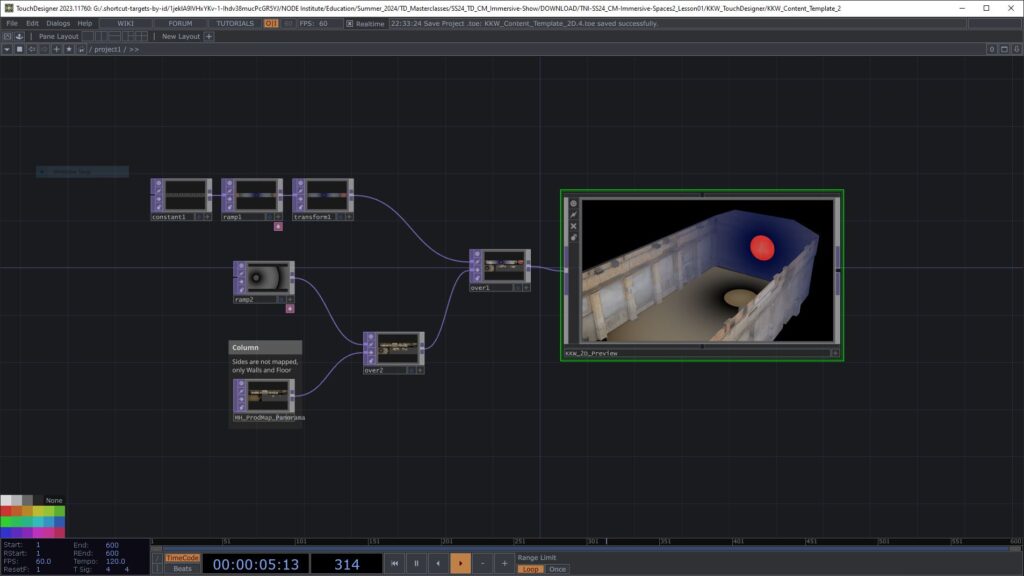
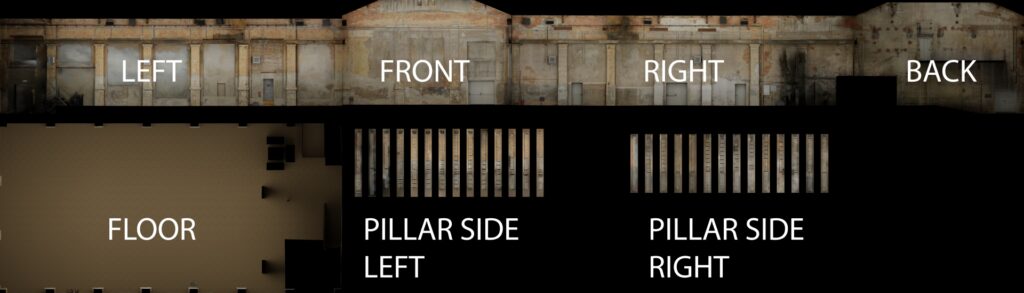
https://drive.google.com/file/d/1Jcxq4qF5LjZ9X7SYY6uWfD2GQ1BMLG3l/view?usp=sharing
I have mapped MH_ProdMap_Panorama.png to the Walls and Floor.
The “Rest” Geometry is mapped with the UV Map.
All necessary files should be in the downloaded folder structure and links should work if you place this toe in the “KKW_TouchDesigner” folder. It is not the most precise mapping and it is orthographic, so not always as perfect as a UV Mapping, but it should work for preview purposes.
The toe file will also need this fbx file:
https://drive.google.com/open?id=1JkbPokU8lN32z6XZJqVhEWjiyByh9HiT&usp=drive_fs
The according Blender file is here: https://drive.google.com/file/d/1JhsOE6NUsQpuNhDGGv3l4HY9o49JtZ8o/view?usp=sharing
and here is a version, where the walls are mapped with the individual wall Production Maps: https://drive.google.com/open?id=1Jg3UpmxtB_Y19dN2i4yXHrwH-8_5O1fC&usp=drive_fs
The Blender models should live in the “KKW_3D_Scan” folder for the links to work (actually not sure how Blender saves the paths, you may have to relink)
Template 2
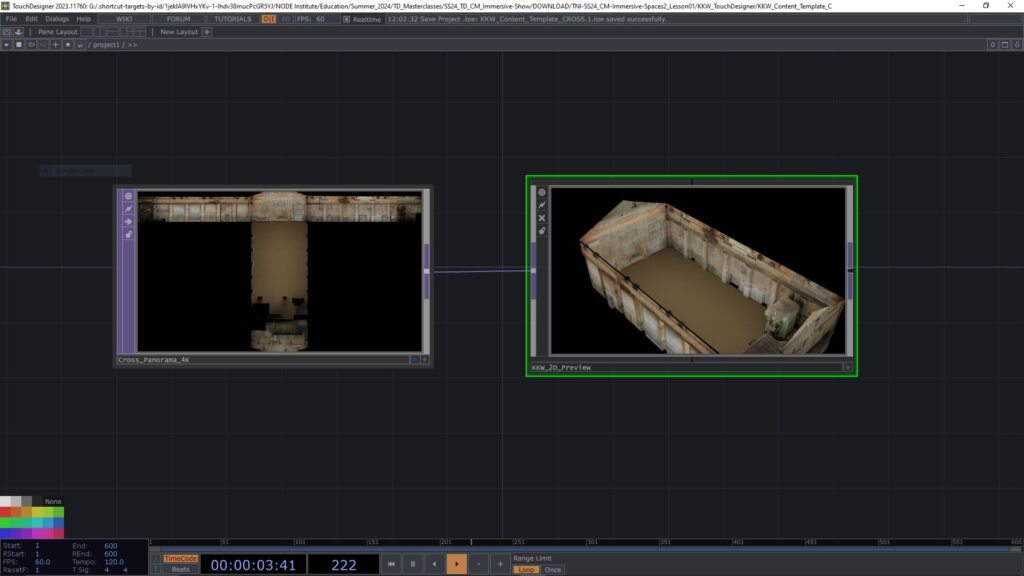
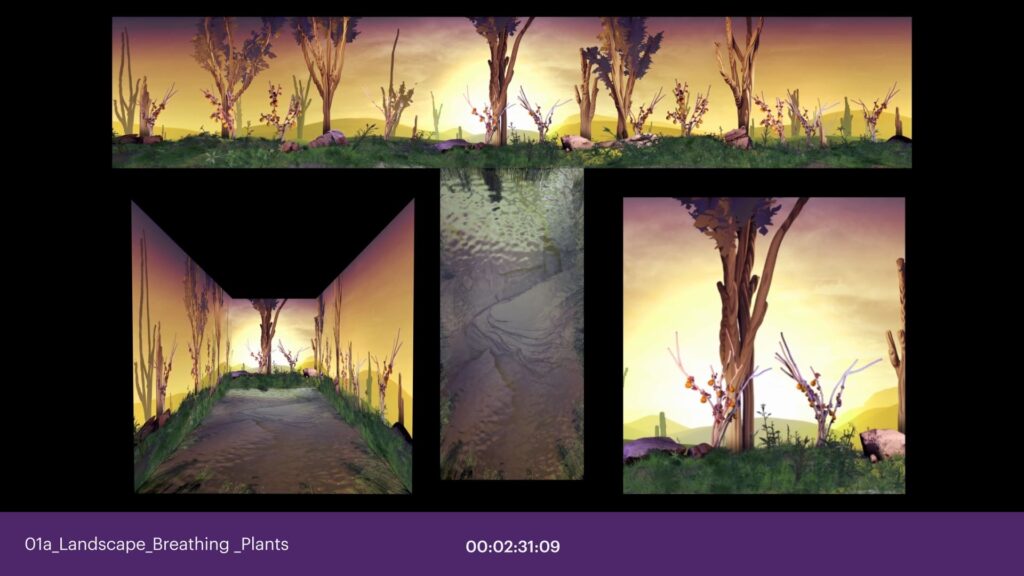
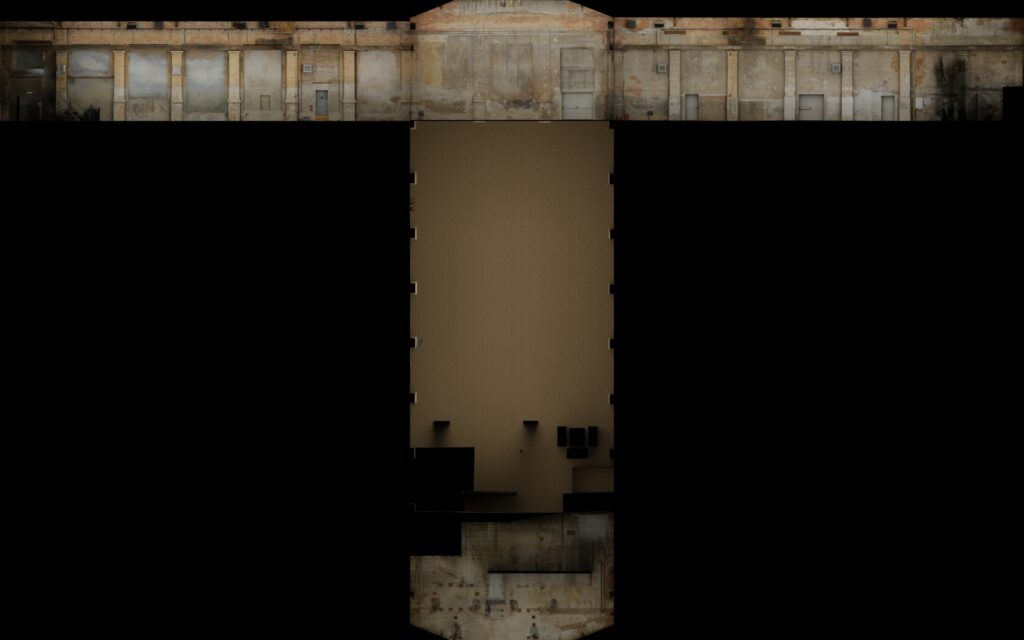
I made an additional Template, inspired by Onionlabs way to present previews in a project we have been working on together. Its very space hungry, but gives a good feeling for directions and the empty space can be used for other info, perspectives etc. Please find the TD file here: https://drive.google.com/file/d/1K5KcKFR0TRSlEfMoIAcIappd_fVS2v7I/view?usp=sharing
The maps are here (3 different sizes):
https://drive.google.com/drive/folders/1JzNA_UBAIE9ii_-Eai9AHHZ4o-_Slkw1?usp=sharing
The 3D Model / FBX is here:
https://drive.google.com/file/d/1K5B-6xUTEW9xAUirBacqx_OiqkfzaKa_/view?usp=sharing
The Blender FIle is here:
https://drive.google.com/open?id=1K2qxR5UoL0o9GlrZJASr5nLoavLm5sG_&usp=drive_fs
fbx & blender files go to “KKW_3D_Scan” Maps go to “KKW_TouchDesigner/Templates”
Toe file goes to “KKW_TouchDesigner”
Inspirational Links from the lesson
Paketa12 – Tentacles in TD Tutorial
Paketa12 – Trees with particles in TD
L-Systems in TD
Procedural Plants in TD
chainGPU – Physics Simulation
Upcoming chainGPU course by Mickey
Past chainGPU course 1 by Mickey
Past chainGPU course 2 by Mickey (GLSL heavy)
Realtime Weather API Tutorial by Lake Heckaman
3DScans and Gaussian Splatting
Gaussian Splatting Component by Tim Gerritsen