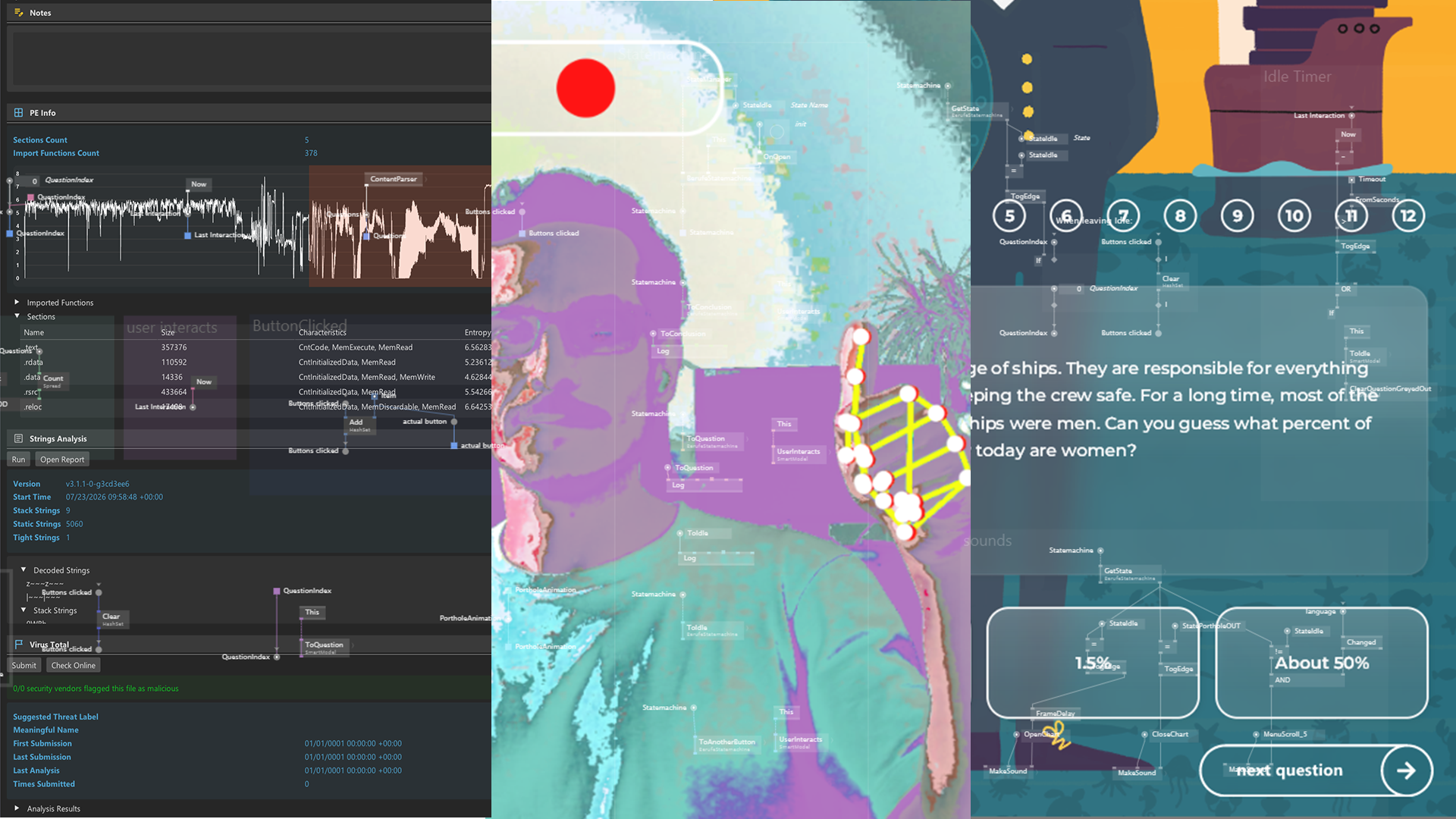
Three apps. Three approaches. Three experts.
From blank patch to shipped product.
3 Sessions at 3 hours, live in English language
Recordings will become available the day after the live lesson.
If you’ve ever wondered how to structure vvvv projects so they don’t collapse under their own complexity, this course is built for exactly that question. In this three-part series we build three real-world applications from scratch and use them to answer the question every project raises: how do I structure this thing?
You will create a camera-driven photobooth with computer vision, live filters and a state machine at its heart with Randall Vasquez; a content-driven quiz app fed by a CMS in multiple languages with Seb Escudie; and a desktop utility with an ImGui interface that wraps a command-line tool and ships with an installer with Sebastian Huber.
Each session starts playful and naive, runs into real walls, and introduces the idea that unlocks them: state management with Channels, event-driven patching with Observables, state machines, undo/redo and persistence through immutable data, and integrations that shine on a portfolio — ImGui, MediaPipe, CMS content and TextureFX.
Three instructors, three styles, no single recipe: you leave with reference apps you can show and the judgment to structure your own projects.
What you will learn:
- Think in structure — Separate data, logic and rendering so your projects scale beyond the first prototype.
- Master state management — Model application state explicitly with Channels and immutable data — the backbone of it all.
- Patch event-driven — React to cameras, sensors and users with Observables and events — without spaghetti.
- Orchestrate with state machines — Drive real application flows with AutomataUI: screens, timeouts, transitions, edge cases.
- Undo, redo, save — Get undo/redo and saving almost for free by keeping state as serializable values.
- Integrate sellable tech — Hands-on MediaPipe computer vision, CMS-driven content and TextureFX filters.
- Ship like a pro — ImGui tool UIs, wrapping CLI tools, persisting settings and packaging apps for delivery.
Requirements
- Windows computer with latest vvvv gamma installed
- 3 button mouse recommended
- Second monitor recommended
- Comfortable with vvvv gamma basics (beginner-workshop level: patching, spreads, simple IO)
- A webcam (built-in is fine) for the photobooth session
- Stable internet connection for the CMS parts and the photo webviewer
- No C# required — we stay in the patch; small code excursions are optional
Course Outline
Session 1 – PhotoBooth App with Randall Vasquez
Tuesday 12.01.2027 at 18:00
Build a camera photobooth: three live TextureFX effects, hand-triggered buttons via MediaPipe, preview with retake or save, and a QR code to take your photo home — all run by an AutomataUI state machine, with settings that survive a restart.
Session 2 – Multitouch Quiz App with Seb Escudie
Tuesday 19.01.2027 at 18:00
A quiz app driven entirely by content: questions, media and languages live in a CMS, not in the patch. Learn to separate data from presentation and build apps your clients can update without ever opening vvvv.
Session 3 – Desktop Utility App with Sebastian Huber
Tuesday 26.01.2027 at 18:00
Build a GammaLauncher-style desktop tool: an ImGui interface wrapping a command-line tool, state saved via serialization, shipped with an installer. From patch to product other people can install and use.
Course Content
Your Instructor
Randall Vasquez
vvvv expert and system developer
Randall is a software developer by trade, originally based in Co...
Seb Escudie
creative coder, vvvv expert, back-end developer
A French creative coder and back-end developer who has done many...
Sebastian Huber
Co-founder, schnellebuntebilder
Sebastian Huber is co-founder of schnellebuntebilder, a studio t...
