Recording of July 2025
1 lesson at 3 hours in English Language.
Recordings will be available for at least one year after purchase.
How can you design visuals that are not only stunning but also be fun and intuitive to control in a live setting?
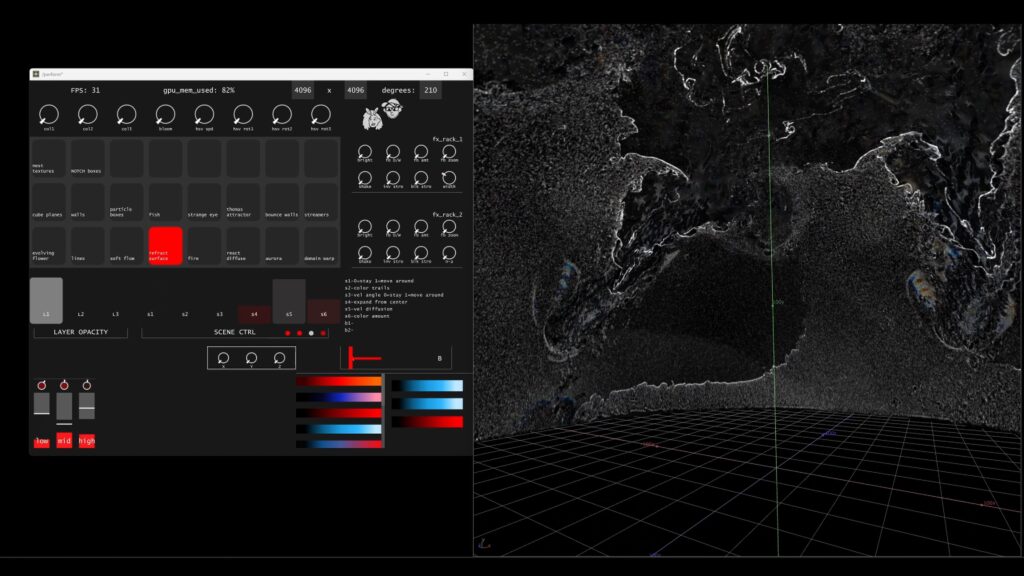
This course explores the process of building custom performance interfaces in TouchDesigner, focusing on tools that empower audiovisual artists and live performers. Performance for the FullDome format is going to serve us as a use case to explore the sweet spot between usability, optimization and intuitive artistic expression.
Through a hands-on approach, you’ll learn how to create responsive UI elements, develop real-time audio-reactive visuals, and structure your TouchDesigner projects for smooth and flexible performance. Along the way, we’ll also introduce fundamental GLSL concepts by generating UI elements using simple shaders, blending creative expression with technical precision.
What You’ll Learn:
Designing Performance Interfaces
Create intuitive control panels for live generative visuals.
Audio-Reactive Content
Build visuals that dynamically respond to sound input in real time.
Efficient Network Structuring
Learn best practices for optimizing TouchDesigner projects for live performance.
GLSL for UI Design
Use shader programming to create graphical interface elements.
Custom Performance Tools
Develop personalized setups that enhance creativity and control during live shows.
Requirements
This module is made for participants, who have a basic understanding of TouchDesigner. If you just getting started, please visit our Beginners Course first.
- A recent PC or MAC Computer (discrete GPU recommended) with stable internet connection
- The latest stable TouchDesigner build installed
- 3-Button Mouse recommended