
SS24 – TD – CCIS – 01 / Recording of May 31st
Support
If you need support in between the lessons, please take it to the #td-ss24-masterclasses channel
on our discord: https://discord.gg/vY55vtX78F
I will answer your questions as soon as I can. Please also use the channel to share inspiration and to communicate with other participants.
Introduction People
Please, everyone, share a brief introduction about yourselves (5 mins max)
- What is your name, and where are you currently residing?
- What is your background, and what are your expectations for learning and achieving during this course?
- What relevant software skills do you bring to the table, such as 2D/3D animation, sound design, or editing?
- Do you think you will be able to attend the KKW for the final screening and meeting at KKW in Leipzig?
(No worries, I will ask that question again when we get closer to the deadline : )
Participants are encouraged to form teams when they believe their skills complement each other.
Introduction Instructor and Course
Dipl.-Ing. Stefan Kraus
Educator at Bauhaus-University Weimar and The NODE Institute.
Media Artist at MXZEHN
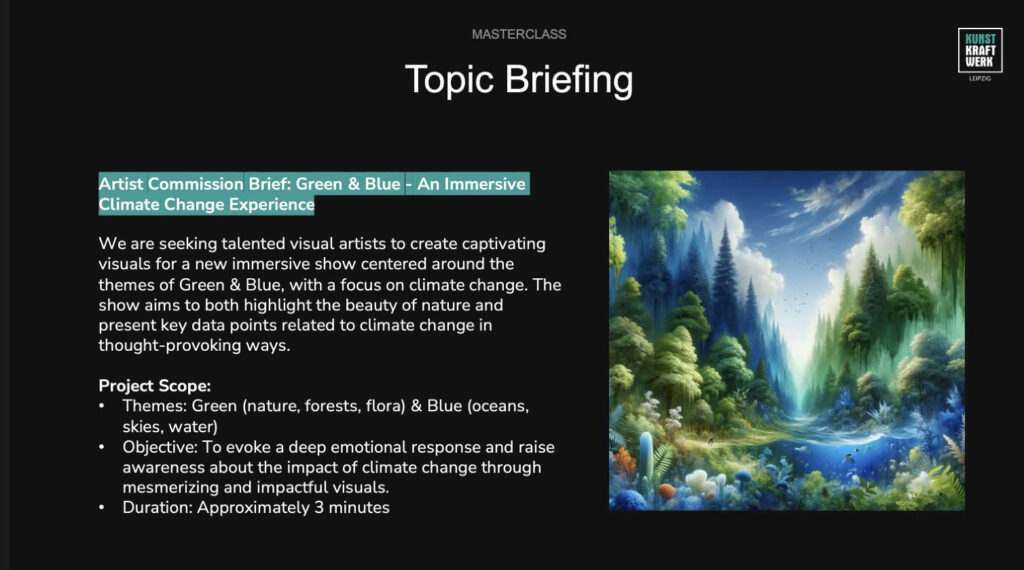
The concept for this course arose from discussions with Paolo Löffler, who is associated with Kunstkraftwerk and will join us at 7pm for a quick introduction of the KKW and their topics for this year. The objective is to engage the creative community in the development of, and experimentation with visual narratives for the Kunstkraftwerk in Leipzig, Germany.
Overview of this course
Session 01
In our upcoming first session, we will have the opportunity to get to know each other. We will explore the origins of immersive experiences and examine a recent case study. Additionally, we will review the information provided by Kunstkraftwerk and discuss the audiovisual project that participants will work on during the course.
We will also delve into the TouchDesigner setup, which will assist us in visualizing and simulating immersive experiences from a distance. We will engage in a conversation about various approaches to creating content for such spaces. Participants will be encouraged to conceive a narrative they wish to convey through their experience and document it in the form of a storyboard, which they will present during Session 02. They will be instructed to structure their story following a five-act dramaturgy and to be mindful of the impactful use of light, darkness, and contrast within an immersive environment.
GUEST: Paolo Löffler, KunstKraftWerk Leipzig
Session 02 – 05
The upcoming sessions will be divided into two parts:
Part one will consist of an approximately one-hour lecture covering various techniques in 3D Animation, with a specific focus on TouchDesigner and Blender. These techniques will prove valuable in tackling the challenges associated with creating immersive content. Topics to be discussed include UV Mapping, Multi-Camera / 360° Rendering, Scenes and Timers in TouchDesigner, Audio and Spatialisation in TD, Particles and Instancing, UV Remapping as well as Import/Export procedures between Blender, TouchDesigner and After Effects. However, the content of the lessons may be adjusted based on the needs of the participants.
Part two will consist of brief presentations by each participant regarding their progress and a discussion with the group and the instructor. While these consultations will address the individual work of each participant, they are intended to be informative for all other participants. This also implies that participants are expected to dedicate time to their projects outside of the live lessons with the instructor. The ultimate goal is to create a minimum 20-second audio-visual piece that can be presented on the actual projection and sound setup currently playing at Kunstkraftwerk Leipzig..
The deadline for the final delivery of this piece will be August 12th
However, a technical preview has to be delivered on July 21st
Session 07
This session will take place in Leipzig at Kunstkraftwerks Maschinenhalle.
On this day, we will use the opportunity to showcase and engage in discussions about the works with both the participants and representatives from Kunstkraftwerk. On top of that, participants will be able to enjoy the current exhibition at Kunstkraftwerk and are invited to join a TouchDesigner meeetup in the evening, with presentations and drinks.
Considering that some participants may not be able to attend in person, we will record the screenings
from several angles and with a 360° camera. Those recordings will be made available to the participants for their free use in portfolios, social media etc.
Introduction Immersive Experiences
The word “immersive” comes from the verb “immerse,” which has its origins in the Latin word “immersus,” the past participle of “immergere.” “Immersere” is a combination of the prefix “in” (meaning “in” or “into”) and the verb “mergere” (meaning “to dip” or “to sink”). So, “immerse” originally meant “to dip or submerge into something,” and over time, it evolved to describe experiences where one becomes deeply involved or engrossed in an activity or environment, hence giving rise to the adjective “immersive.” This term is often used to describe technology, media, or experiences that fully engage and captivate the senses, creating a sense of deep involvement or immersion.
A selective history
Humans have long aspired to immerse viewers in illusions, a tradition dating back to ancient times.
(Plato’s allegory of the cave comes to mind, the medieval cathedrals and many rituals throughout the cultures). One could argue that all architecture endeavors to engage viewers in a narrative.
I would like however to highlight a few examples that, in my opinion, have paved the way for the contemporary immersive projection rooms we have witnessed succeed in the past decade.

Panorama
The panorama was a 360-degree visual medium patented under the title Apparatus for Exhibiting Pictures by the artist Robert Barker in 1787. Barker created a painting, shown on a cylindrical surface and viewed from the inside, giving viewers a vantage point encompassing the entire circle of the horizon. The inaugural exhibition, a “View of Edinburgh” was first shown in that city in 1788. By 1793, Barker had built “The Panorama” rotunda at the center of London’s entertainment district in Leicester Square, where it remained attracting visitors for 70 years, then closing in 1863.
https://en.wikipedia.org/wiki/Panorama
https://www.asisi.de/panorama/pergamon
Planetarium
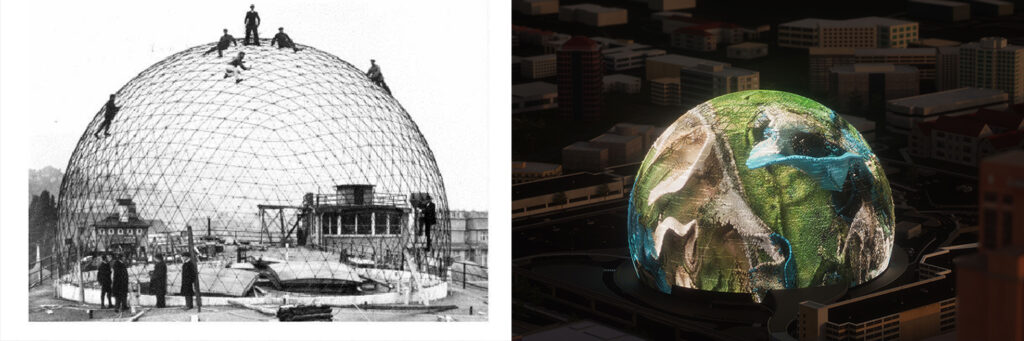
In August 1923, the first (Model I) Zeiss planetarium projected images of the night sky onto the white plaster lining of a 16 m hemispherical concrete dome, erected on the roof of the Zeiss works. The first official public showing was at the Deutsches Museum in Munich on October 21, 1923.
https://en.wikipedia.org/wiki/Planetarium
https://www.planetarium.berlin
https://www.thespherevegas.com
Walter Gropius : Total Theater
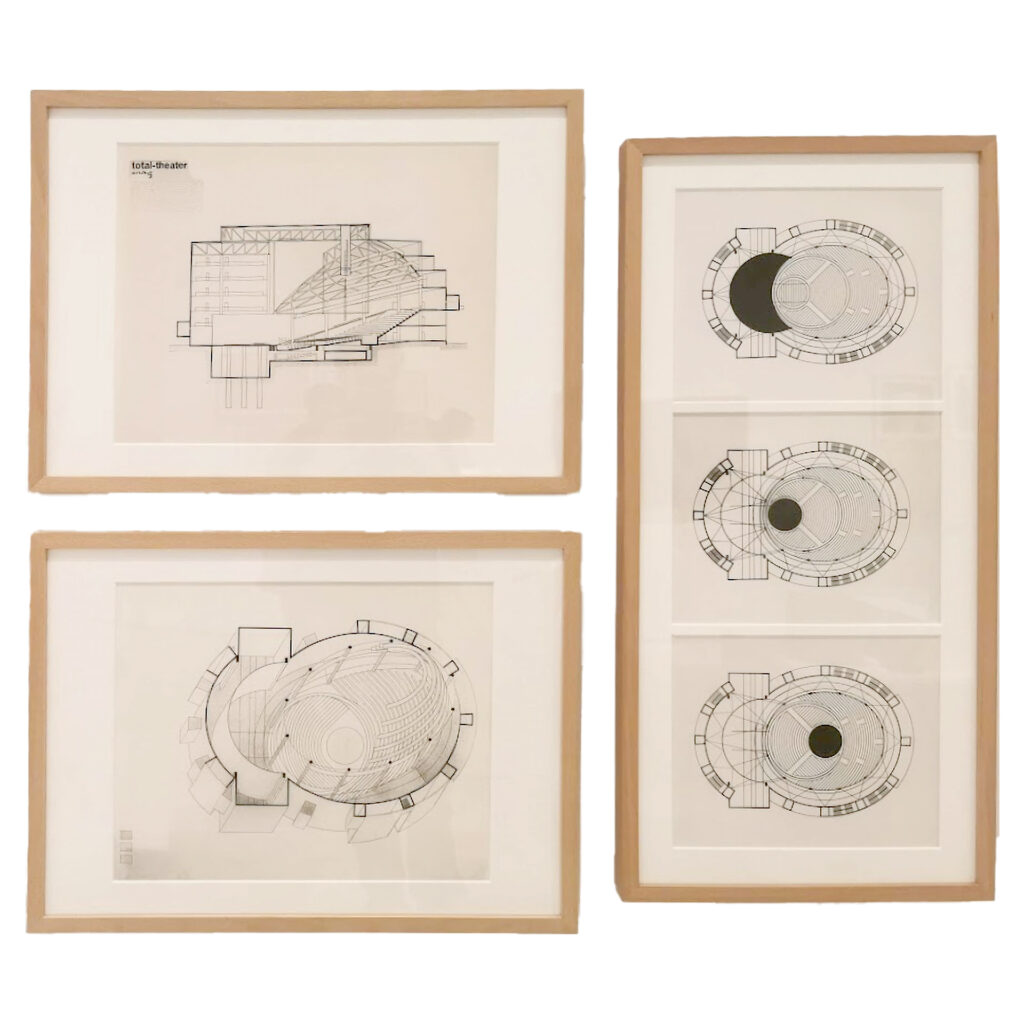
The idea of a total theater emerged as part of the collaboration between Walter Gropius and Erwin Piscator in 1927. The goal of this joint project was to conceive a theater that could transcend the traditional rigid stage arrangemen. Gropius’ proposed solution for realizing this endeavor was a mobile and rotatable parquet disc, whose displacement during the performance could create various stage situations. Gropius was also keen to complement this theatrical space-generating machine with the means of light projection. This involved above all, film projections that further expanded the scenic space of the stage.
“In my ‘Total Theater,’ I have not only provided the possibility of film projection onto the entire circular horizon for the three depth stages using a system of movable film apparatus but can also envelop the entire audience space – walls and ceilings – with film. […] Instead of the previous projection plane (cinema), the projection space comes into play.”
Exploding Plastic Inevitable Now
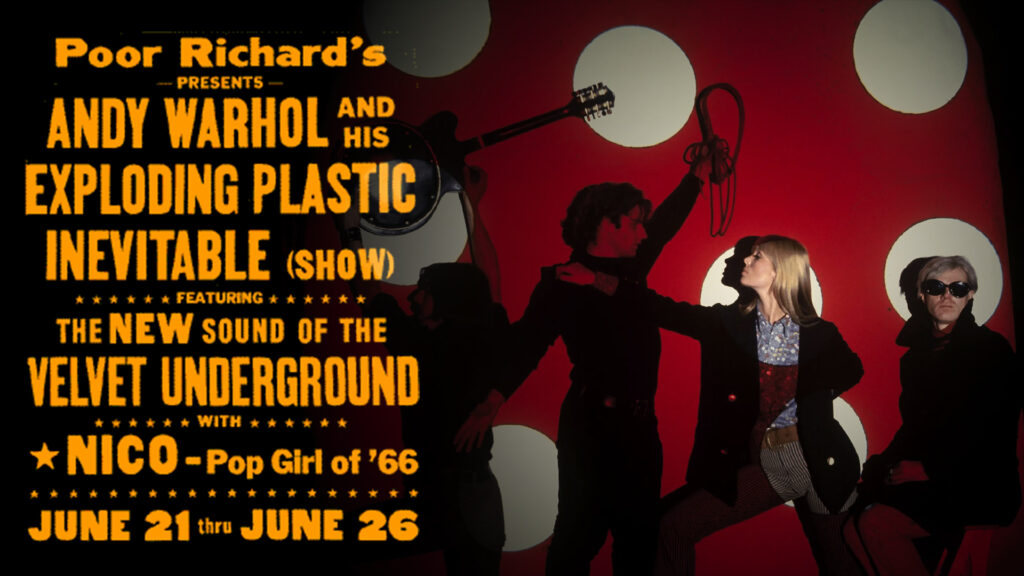
The Exploding Plastic Inevitable Now, sometimes simply called Plastic Inevitable or EPI, was a series of multimedia events organized by Andy Warhol in 1966 and 1967, featuring musical performances by The Velvet Underground and Nico, screenings of Warhol’s films, and dancing and performances by regulars of Warhol’s Factory, especially Mary Woronov and Gerard Malanga.
https://en.wikipedia.org/wiki/Exploding_Plastic_Inevitable
Virtual Reality
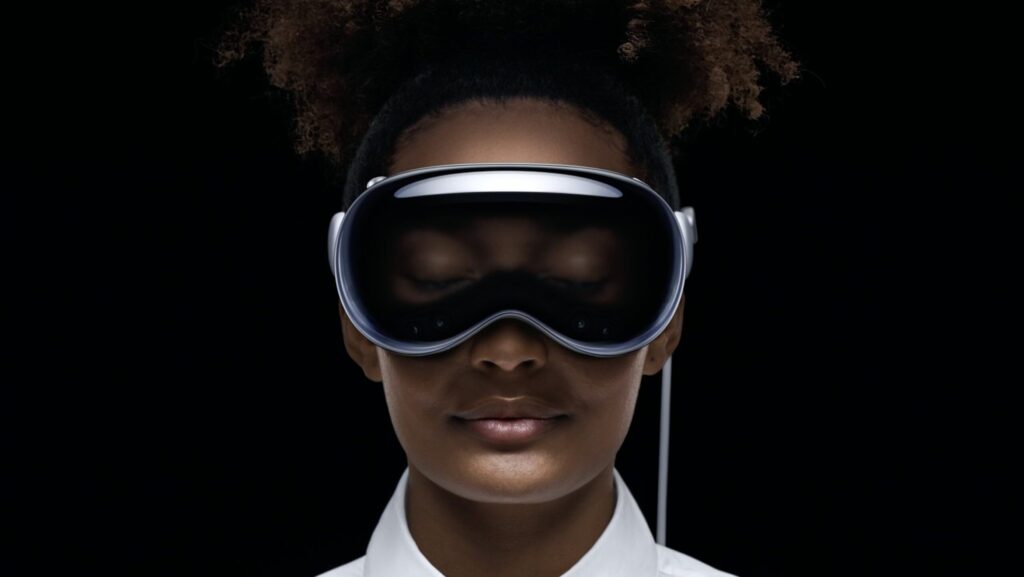
In 1968, Ivan Sutherland, with the help of his students, created what was widely considered to be the first head-mounted display system for use in immersive simulation applications, called The Sword of Damocles.
https://en.wikipedia.org/wiki/Virtual_reality
https://www.meta.com/de/de/quest/quest-pro
https://www.apple.com/apple-vision-pro
https://montreal.mutek.org/en/immersive-collection
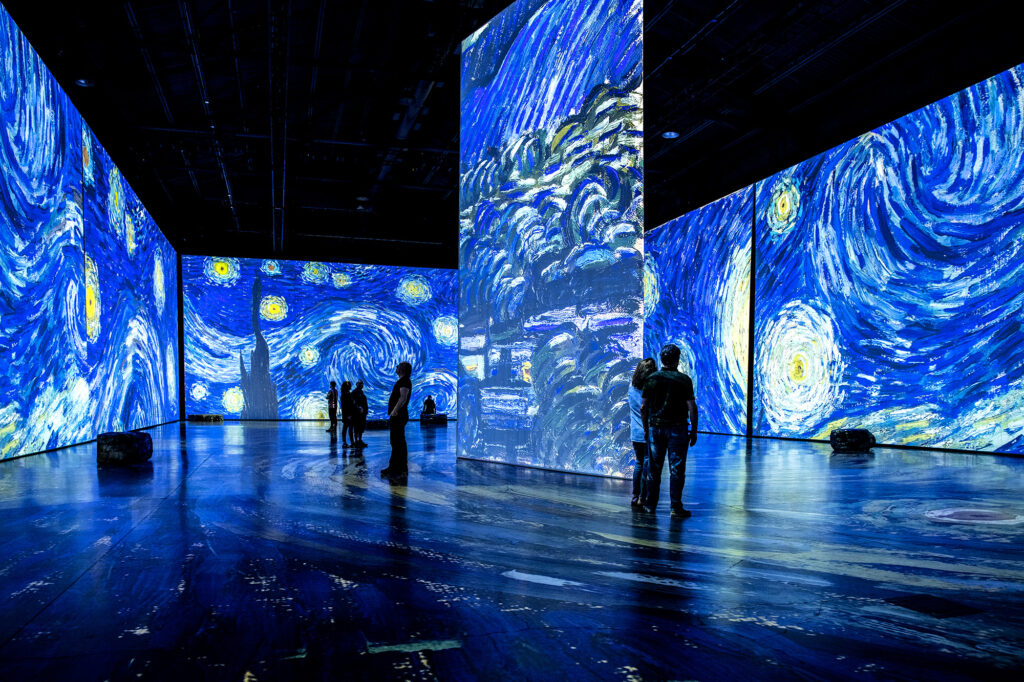
Immersive Art Exhibitions
The first immersive experiences of Van Gogh’s art took place in Europe in the 2000s. Other artists have also been featured in similar shows, including Picasso and Monet, though Van Gogh’s popularity makes his shows the most successful. The first showing, in 2008, was titled “Imagine Van Gogh: The Immersive Exhibition”. The exhibit was created by Annabelle Mauger, who built off a model her husband’s grandfather created, known as “Image Totale”.
https://en.wikipedia.org/wiki/Van_Gogh_immersive_experience
https://www.imagine-vangogh.com
https://www.artechouse.com
https://www.atelier-lumieres.com
https://lightroom.uk/whats-on
https://lighthouse.berlin
Case Study : HOPE Alcazar
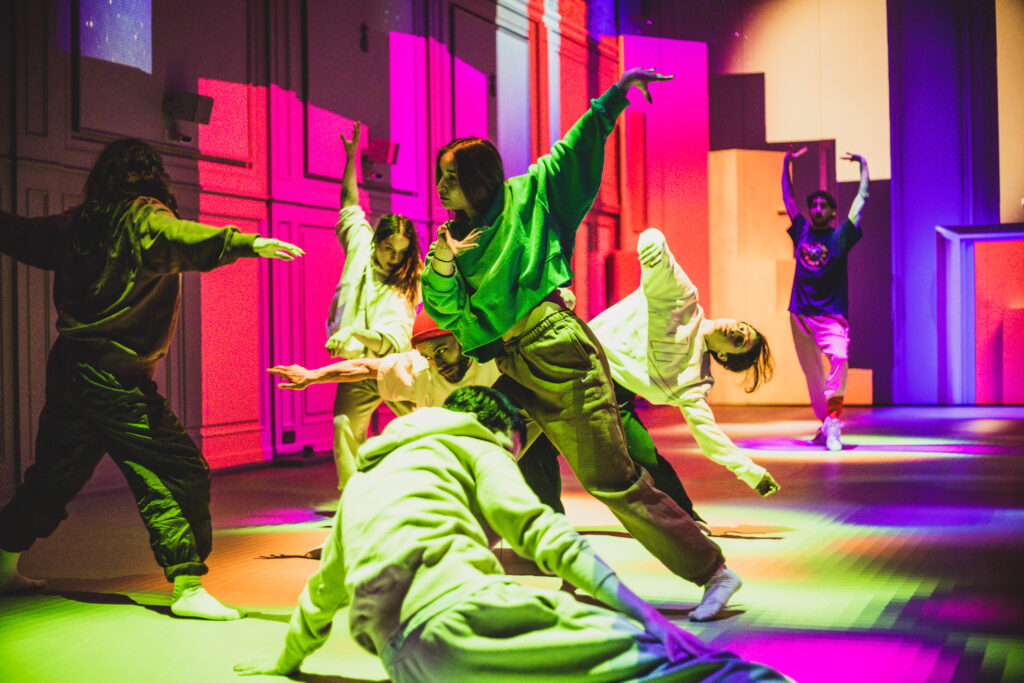
Our friends from Istanbul, Nerdworking, invited us to collaborate on a project for Nike. The sportswear brand is operating a culture and fitness experience center in an old cinema. The task at hand was to create a fitness experience “of the future” by implementing interactive exercises into an immersive environment.
I was initially involved in consulting and assembled the team responsible for developing the media server solution in TouchDesigner. I also created some of the interactive assets and prepared the 3D model for mapping before I had to shift my focus to another project. The programming aspect was handled by Alphamoonbase and function.str, both of whom are instructors at the NODE Institute. Animations were produced by onionlab, and sound design was provided by Tufan Demir.
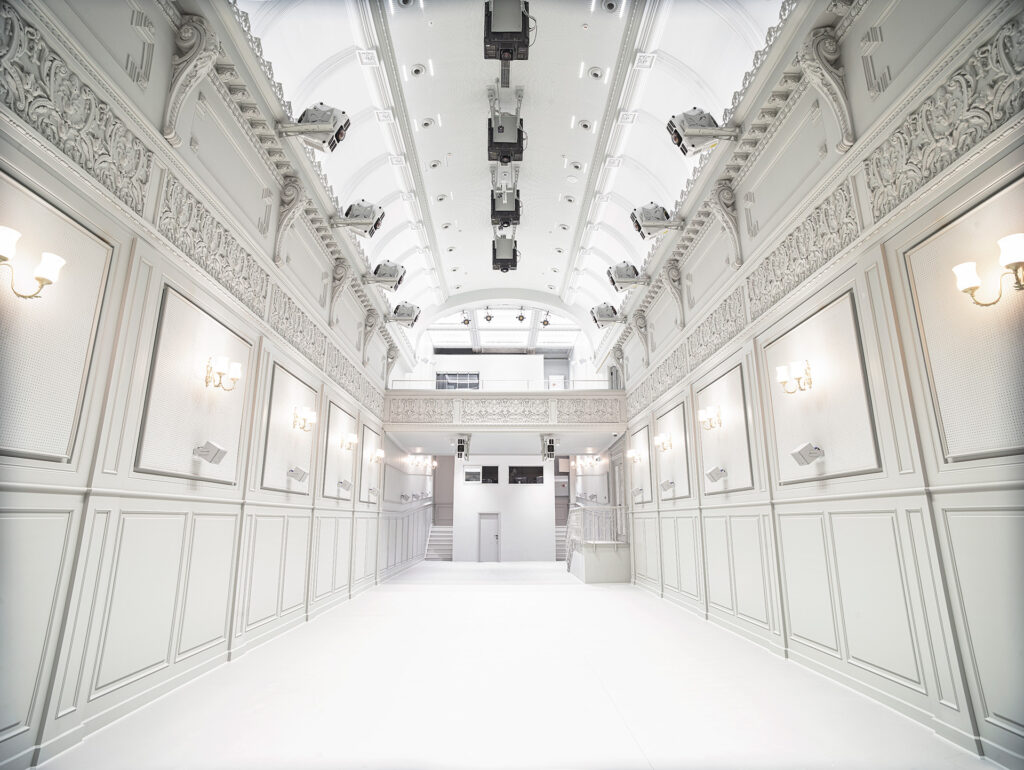
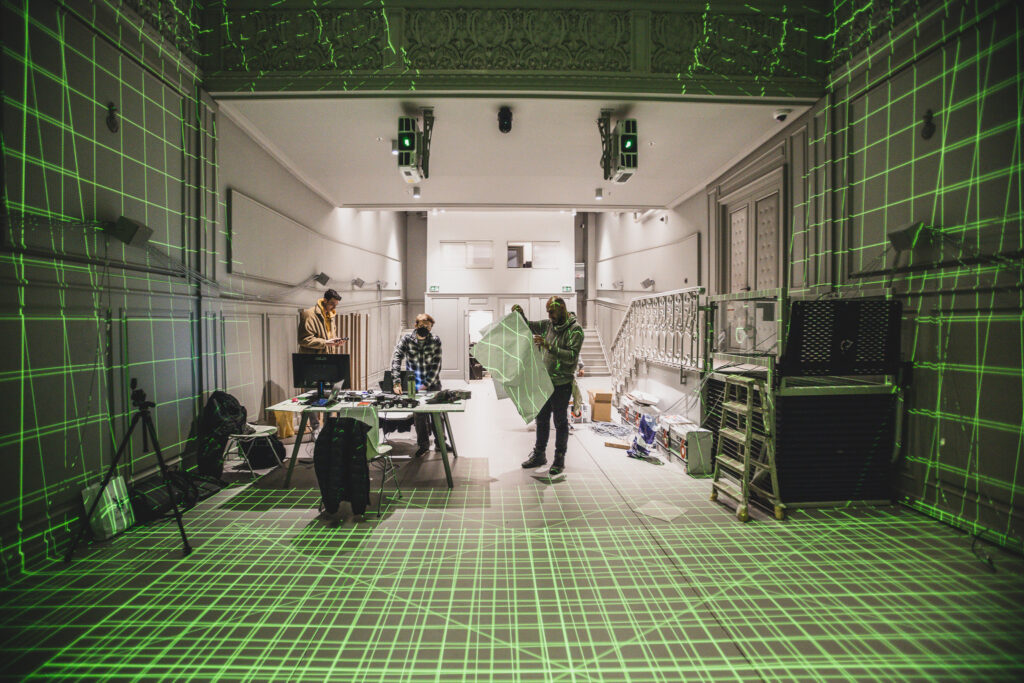
In this particular case, the projectors and speakers had already been sourced and mounted, but there was no mapping in place. Thus, our team had to devise a complete solution. We utilized TouchDesigner to create every facet of the software, including user tracking, which involved a combination of Hoyuko Lidars for position tracking and Oak-D cameras for skeleton and gesture tracking.
The room had been painted in bright white, which presented an issue once the actual content was projected, as it proved to be excessively bright and disrupted the immersive experience for those on location. Another challenge was the perspective, as many ideas in the original storyboard were based on the concept of a central perspective.
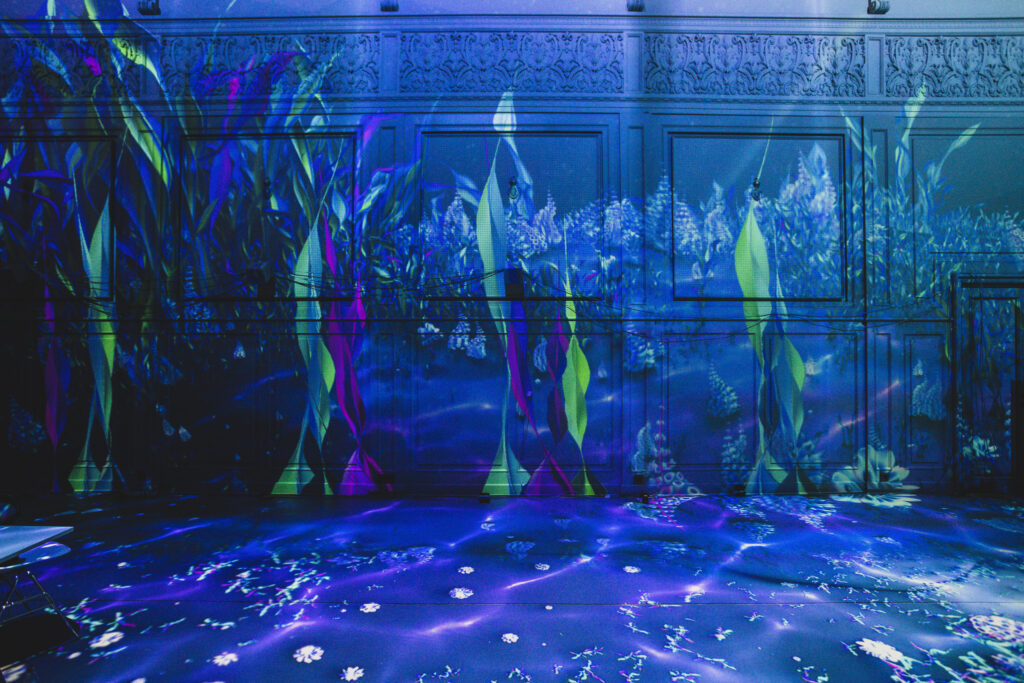
However, as we will see, this only worked for a few positions in the room. In this specific case, users were looking towards the wall where the objects they controlled through their movements were displayed. Therefore, most of the content you will see incorporates various focal points, with certain sequences guiding the focus towards the central “stage” area.
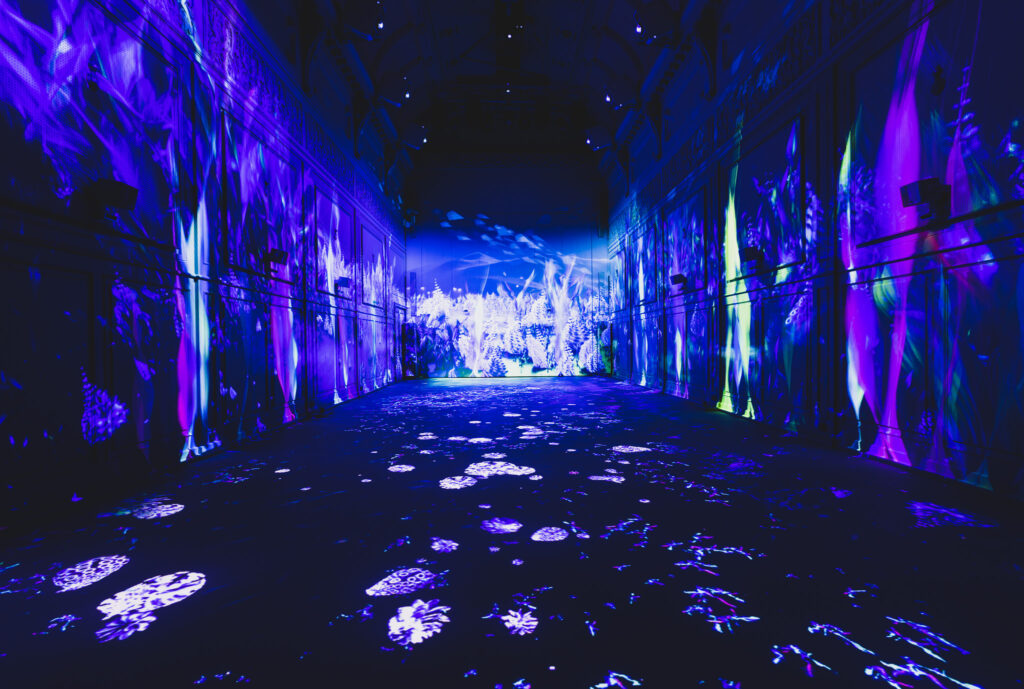
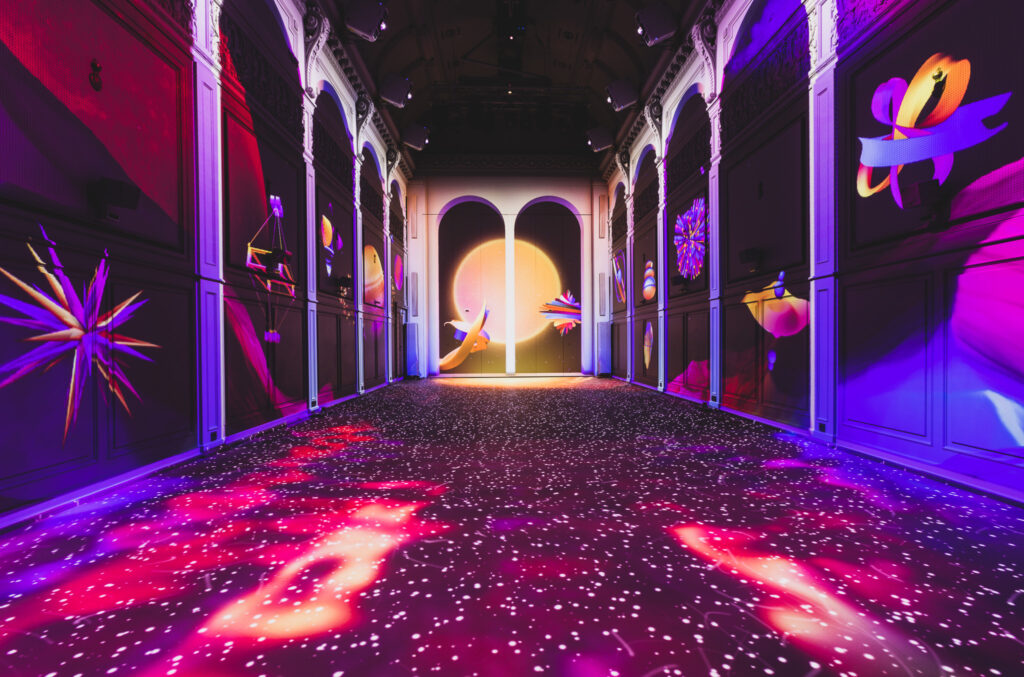
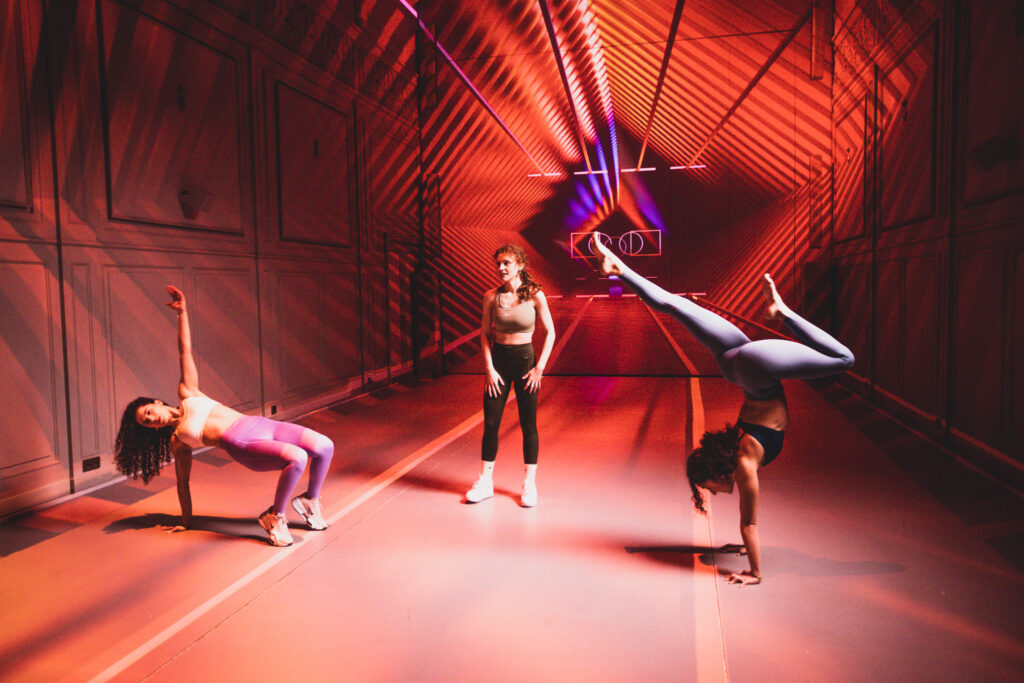
One area where we could have improved was the use of a simulation to facilitate communication among the different creatives and with the client. Unfortunately, this fell short due to a very tight time frame, but it would have ultimately saved a significant amount of time. I cannot emphasize enough how helpful it can be.
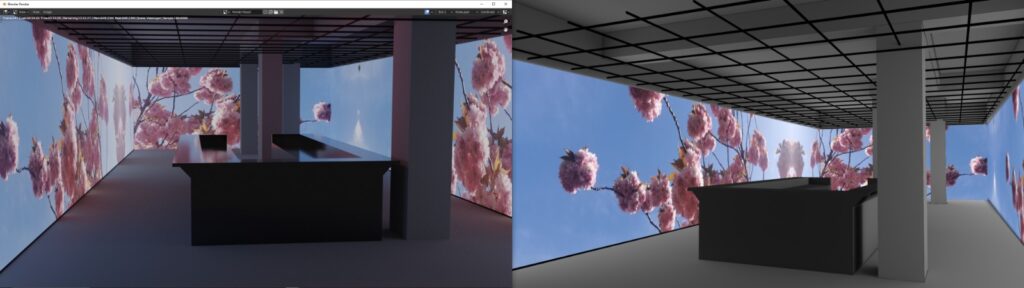
Regarding how light spreads in the room, there are limitations to what you can simulate in TouchDesigner, especially in the absence of global illumination. Rendering a scene in Blender can assist to some extent, but it still doesn’t provide a physically accurate result. This underscores the strength of procedural content, which can be adapted on the fly on location, as opposed to pre-rendered content. While pre-rendered content is easier to produce and control, it results in large file sizes that may not be ideal for remote production, particularly when aiming to maintain files of sufficient quality for color correction on location.
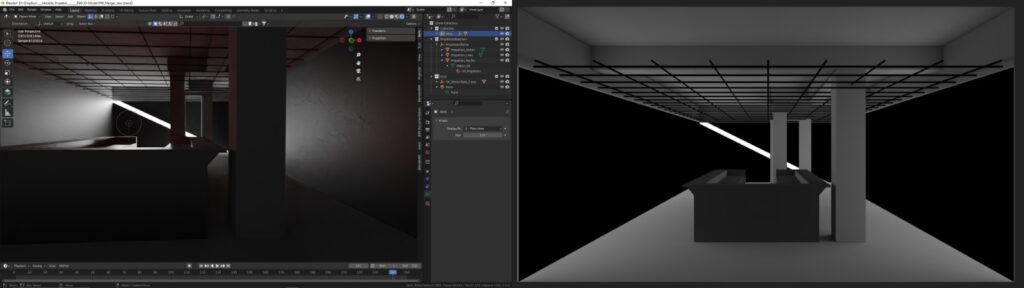
Furthermore, while showcasing a consistent 3D scene is undoubtedly powerful and simplifies certain aspects, there are various methods to piece together these high resolutions from different, more controllable elements. This approach allows for flexibility until the very end, when both you and the client are physically present in the room – although, in my case, I never had the opportunity to be physically present.
Case Study : Kunstkraftwerk : Maschinenhalle
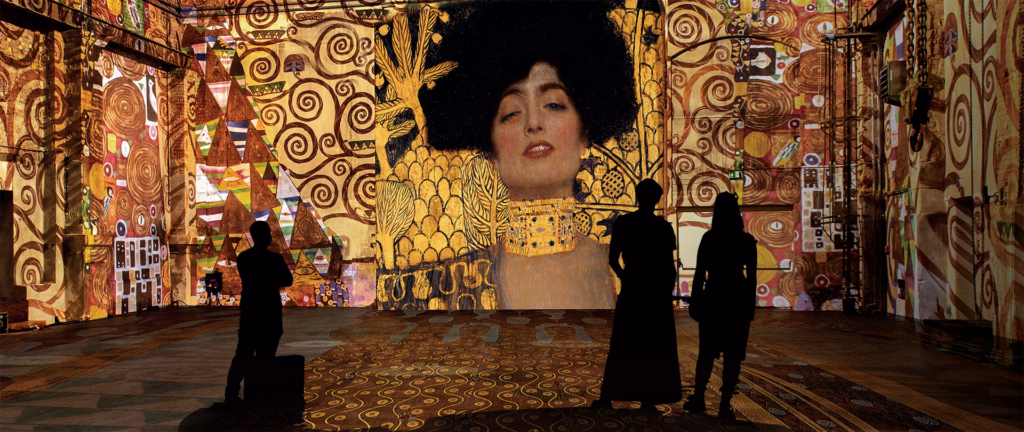
What the owners say about their mission:
As initiators, we are deeply committed to the intersection of art, science, and architecture because we believe that research, art, and design share common roots. Our focus is on the symbiosis between various genres, disciplines, and life experiences.
1900 Commissioned as part of Power Plant II of the Große Leipziger Straßenbahn (GLSt); Electricity plant.
1964 Conversion into a heating plant as part of VEB Energiekombinat Leipzig: Five old boilers are removed and replaced with three steam generators of type KWK2 (each weighing 6.5 tons). Stairs are installed.
1992 Shutdown of the heating plant.
2012/14 Purchase of the property by investors Maldinger and Löffler-Mantovani. Photodocumentation of the existing condition, building security, and dismantling of technical equipment. Roof replacement, new windows, electrical work, and other renovations to outbuildings and outdoor facilities.
2015/16 Transformation into “Kunstkraftwerk” and the start of the exhibition program: Usable area of 2,300 square meters, maximum height 11.75 meters.
https://www.kunstkraftwerk-leipzig.com/de/
A nice impression of the diverse art forms that have a place at Kunstkraftwerk:
https://www.youtube.com/watch?v=djT6vhXxizE
KKW Production Manual
https://drive.google.com/file/d/1DWXE9f171gEGJihBHIGJ9qVp_7NbtQi_/view?usp=sharing
Briefing : Audio-visual Story
Minimum length : 20 seconds
Ideally in the full resolution : 17672×2020 px, 30 FPS
Audio : 1 track mono, 2 tracks stereo or ideally 6 tracks mono,
one for each speaker (2 back, 2 middle, 2 front)
The deadline for the final delivery of this piece will be August 12th
However, a technical preview has to be delivered on July 21st
You are free to choose the content; however, it makes sense to keep in mind that some content can be very challenging to produce at these resolutions. I would recommend emphasizing the exploration of motion (speed, direction, etc.) and contrast (bright, dark) because these projections, in general, do not lend themselves to creating super high-fidelity colors and details. Those aspects are much better represented on a monitor.
Some things to have in mind:
DIMENSION – The room is approximately 8 meters high. While things may feel like they have good timing in a small preview, be aware that they are actually covering substantial distances in reality, which makes them appear much faster. Explore different speeds within your piece so you can gain a real-life understanding of how they translate into room scale.
CONTRAST – Black is to the projection artist what white is to the graphic designer. The more light you introduce into the room, the less contrast you will have in the overall picture, as the bright areas will also illuminate the dark areas. Additionally, bright surfaces will reveal the underlying structure of the building, potentially undermining the illusion you intend to create with your visuals. Once again, I recommend exploring different motifs to gain valuable experience.
SOUNDTRACK – Music and sound effects help a great deal in enhancing immersion and illusion. Even if you are not very experienced with sound, give it a try and combine background music and sound for atmosphere with sound effects that emphasize movement.
FOUCS – While people will be able to look around the room occasionally, and you cannot be sure from where they will view the content (which prohibits strong perspective effects), it is your job to direct their attention to certain points. It can be assumed that the FRONT area is best suited for the main action. However, you might have several points that you want the visitors to explore, so keep in mind that they will need some time to let their gaze travel from one point of interest to the next.
Dramaturgy
The word has various meanings, but in our context, I employ it to describe how actions in the story are arranged in chronological order. This is the most potent tool we possess for keeping viewers engaged and, consequently, entertained. Various theories provide a framework for developing a dramatic structure.
The most popular ones are the three- and five-act structures, which originate from theater and are widely used in the world of cinema. I have had positive experiences applying the five-act structure even to highly abstract animations, and I recommend using it for this specific project to ensure that your storyboard comprises a minimum of five chapters.
To provide you with an idea, I have gathered some information about a system known as Freytag’s Pyramid, introduced by the writer Gustav Freytag in 1862.
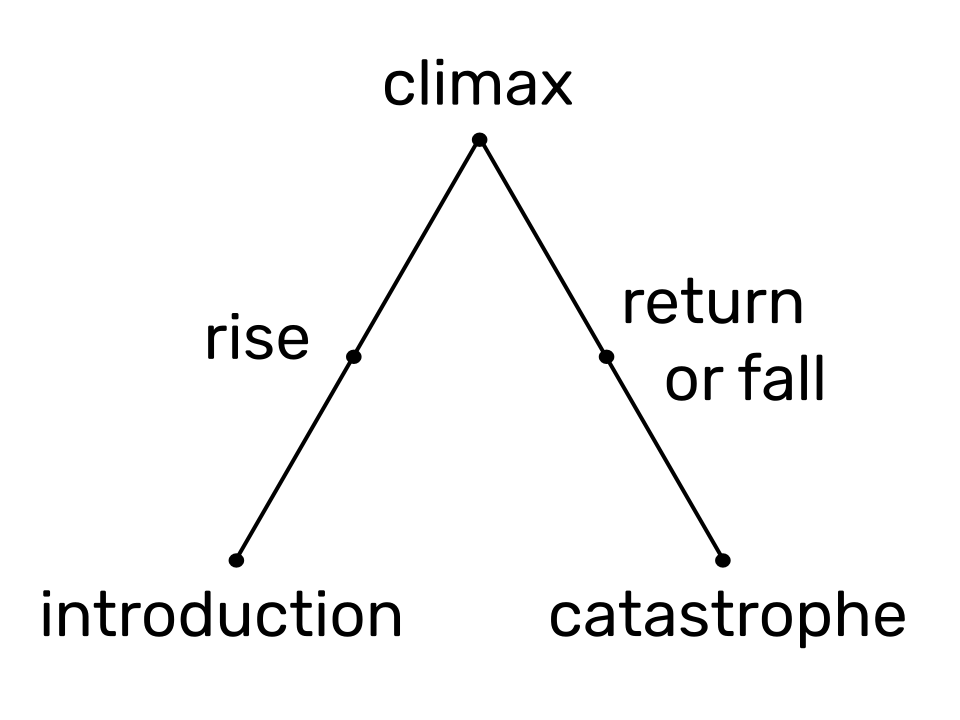
. 1. Act I: Exposition. In the first part of your script, introduce the main characters and provide a backstory. The first act also presents (or at least hints at) the central conflict through an “exciting force” or “inciting incident.”
- 2. Act II: Rising action. In the second act of the five-part story structure, the conflict begins to increase as the characters try to achieve their goals and the narrative builds toward the climax. (Freytag called the second act the rising movement.)
- 3. Act III: Climax. The third act contains the climax, the moment where the tension reaches its peak in a major scene. Freytag thought of the third act as the turning point rather than the culmination of action—the story’s midpoint where things begin to change and usher in the “counterplay.” Some modern writers delay the “climactic moment” until later in the story—usually act four.
- 4. Act IV: Falling action. The elements of act four—also called the falling action—include the series of events that lead to the resolution. Freytag emphasized the importance of a feeling of “final suspense” in the fourth act, a moment in which the audience experiences doubt about their expectations of how the story will unfold.
- 5. Act V: Resolution. The final act is the end, resolution, or denouement of the story. Here, you should tie up loose ends and bring the narrative to a close, writing either a tragic or happy ending. Freytag called the fifth act “the catastrophe,” the point in a tragedy where most of the characters die.
Here is a nice example, how this structure can be found in the iconic movie The Godfather:
- Act one: As the film opens, audiences meet Michael Corleone, a member of an Italian American crime family. His character development reveals he wants no part in his family’s Mafia dealings.
- Act two: Multiple violent acts against the Corleone family force Michael to engage in his family’s business.
- Act three: The third act brings the climax, or turning point: Michael seems to want peace but instead chooses to enact violence and take vengeance against his family’s antagonists.
- Act four: Michael flees the country to escape retribution for his actions and continues to suffer as his loved ones die.
- Act five: Finally, Michael returns to New York and has the rest of the threats assassinated, officially taking his place as the head of the Corleone family.
Finally, here are some hints on how much time you should roughly dedicate to each section:
In a 5-act drama following Freytag’s Pyramid, the timing of each act can vary, and there are no strict rules regarding the exact duration or percentage of time each act should take. However, you can use a rough guideline to help structure your drama. Keep in mind that these percentages are approximate and can be adjusted to suit the specific needs of your story:
- Exposition (Act 1): This is where you introduce the characters, setting, and the initial conflict.
Act 1 typically takes up about 10-15% of the total runtime. - Rising Action (Act 2): In this act, you develop the conflict and build tension.
Act 2 usually takes up the majority of the story, about 40-50% of the total runtime. - Climax (Act 3): This is the turning point in the story where the conflict reaches its peak.
Act 3 usually takes up about 15-20% of the total runtime. - Falling Action (Act 4): After the climax, you start resolving the conflict and tying up loose ends.
Act 4 typically takes about 10-15% of the total runtime. - Resolution (Act 5): This is where you conclude the story and provide closure to the audience.
Act 5 usually takes about 10-15% of the total runtime.
Remember that these percentages are just a general guideline, and the actual timing may vary depending on the pacing and complexity of your story. It’s important to focus on the narrative flow and the emotional impact you want to achieve in each act rather than strictly adhering to specific timeframes.
Explore the 3D Model in TouchDesigner
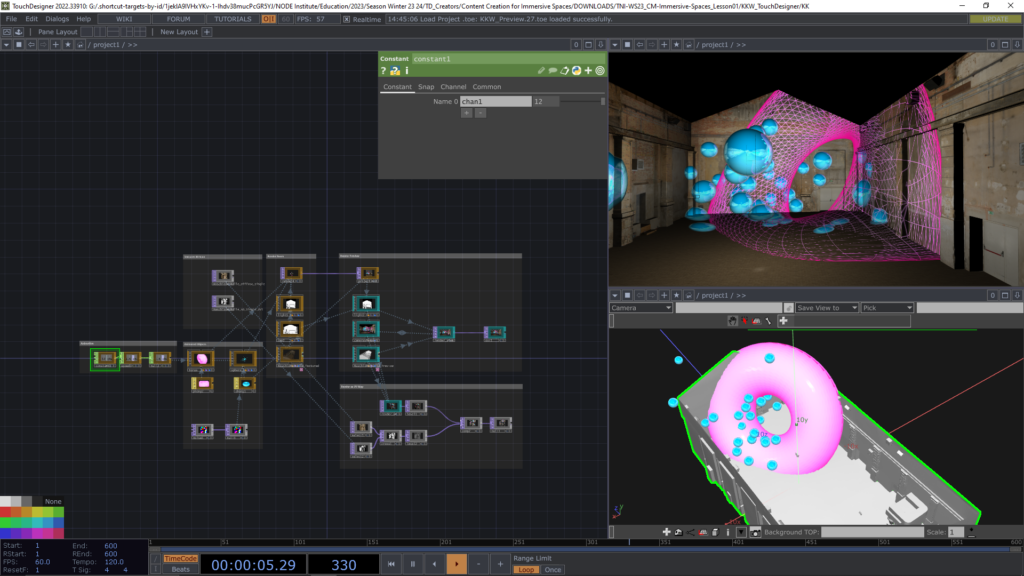
I have set up a basic scene in TouchDesigner, which allows us to explore the 3D model and some very simple methods for creating and previewing content. This scene assumes that the content will be arranged as a UV texture, which is the most effective way to handle it and allows for numerous creative techniques. However, it’s important to note that this approach may not be suitable for all situations and has its own set of challenges.
In the case of KKW, the 3D scans were conducted recently as a result of our discussions on how to make the system more accessible to the community and optimize it for real-time content.
Currently, the system is still running on Watchcourt servers, which are not ideal for real-time applications, and the mapping is still based on the old pixel map outlined in the production manual for Maschinenhalle. Consequently, we will need to render and warp our content to ensure it aligns with the existing pixel map. In the next session, I will introduce different methods for achieving this. However, this serves only as information for you, we have prepared a patch that does a remapping of the content we produce based on the 3D scan onto the mapping that is currently used in KKW.
Texture Size Limitation in free TouchDesigner
Now, I am aware that some of you may feel disappointed because the free version of TouchDesigner is restricted to resolutions of 1280×1280. While this resolution is typically adequate for learning the software, in specific scenarios such as VR, CubeMaps, PBR materials, and extensive projections, these limitations in resolution can indeed make it difficult to perceive the details clearly. Regrettably, there is no trial version of TouchDesigner accessible.
The next best thing is a considerable rebate Derivative is offering to our students on the price of a commercial or professional license. Learn more about the program here:
https://thenodeinstitute.org/get-a-200dollar-discount-on-a-touchdesigner-license-now
Therefore, I recommend that unlicensed TouchDesigner users treat theTD sections as more of a lecture and focus on Blender, (which is open source) and After Effects (which offers a free trial) for content production. There is a free compositing and animation suite with DaVinci Resolve 18.6 as well.
Other alternatives are Natron (for compositing and VFX) and Krita (for digital painting).
For Mac users Apple Motion could be an interesting and affordable tool.
Explore the 3D Model in Blender
If at this point we still have time, we can take a look at the 3D Model in Blender as well.
Examples recommended participants:
beatbox – Immersive Projection Mapping, Kunstkraftwerk Leipzig 2021, 4K
https://lightroom.uk/whats-on/david-hockney
Please post any project that you find inspiring to the Discord for everybody to view.
Homework:
Please think about the experience you want to create and with what you want to challenge yourself. Being ambitious is good, but be careful about too much ambition. Rather think about what you want to create artistically, while gaining as much experience in this course as you can. After all it is not a profssional production, but a learning proscess.
Prepare for our next meeting a PDF presentation that outlines your topic and how you want to unfold it within a 5 act structure. Please share the presentation through Desicord and ideally deliver it not later than
next Thursday, so I have a bit of time to read, understand and prepare feedback, rather than making it up on the spot within our meeting. Feel free to post a sketch at anytime and get preliminary feedback already before the next session.
In the session, be prepared to give a short(!) presentation of your concept and I will try to break it down into the steps that will be necessary to achieve the pieces within the time frame.
I recommend to keep the ideas so abstract, that they can be achieved through different ways and are open enough to drive your exploration and not limit you to imagery that is very hard to achieve or only with big budgets (time and money).
Support
If you need support in between the lessons, please take it to the #td-ss24-masterclasses channel
on our discord: https://discord.gg/vY55vtX78F
Be prepared make me aware of your Discord name, as often it is quite difficult to map the actual people to their funny online names : )
I will answer your questions as soon as I can.
Please also use the channel to share inspiration and to communicate with other participants.
If you need direct contact feel free to use my email: stefan.kraus@thenodeinstitute.org